
Production, inputs, machinery, labour, harvests, livestock, sales, and costs often live in separate books and files.
Product Case Study
How FAMA connects daily farm records to management and financial reporting
FAMA is Zamacore’s farm management platform for owners, managers, and operating teams. This case study explains the problem behind the product, how its farm records connect, and the public product evidence a buyer can inspect. It uses real screens, workflows, and published plan information without anonymous testimonials or invented performance figures.
FAMA links daily operating activity to inventory, production, accounting, alerts, and owner reports.
Buyers can review the dashboard, records, modules, workflow, walkthrough, and published plan.
The farm-management problem FAMA addresses
A farm makes daily decisions whose results may only become visible weeks or months later. Inputs are purchased and issued, staff perform activities, machinery consumes fuel and needs service, livestock records change, crops progress through seasons, and harvest quantities move into stores or sales. Owners need to know whether the operation is on plan and where money, stock, time, or productive capacity is at risk.
Manual records commonly separate those decisions. The storekeeper knows what left the store but may not connect it to a field or activity. A machinery repair appears as an expense without an asset history. Labour information remains in attendance books. Harvest totals and sales records use different units. Managers then prepare reports by combining incomplete files after the opportunity to act has passed.
FAMA addresses this problem through one farm workspace covering leases, crops, stores, machinery, staff, harvests, livestock, accounting, and reporting. The product is designed so daily operating records feed management visibility. The goal is to help responsible users record work once and give authorised managers a clearer view of readiness, activity, cost, production, and exceptions.
The FAMA operating workflow
1. Set up the farm
Capture farms, fields, leases, crops, seasons, staff, machinery, livestock, stores, and other records that define the operation.
2. Plan and record activity
Organise work around fields, crops, animals, staff, equipment, and dates, then record what was completed and any exception observed.
3. Issue inputs
Connect store issues, quantities, suppliers, batches, and costs to the activity, field, crop, livestock group, machine, or responsible unit.
4. Maintain machinery
Track fuel, inspections, services, repairs, parts, availability, operators, and cost history so equipment risk remains visible.
5. Track production
Record harvests, livestock activity, stock movements, sales, and related costs using consistent products, units, dates, and sources.
6. Report to owners
Turn the records created by daily work into operational, inventory, financial, and management views for review and action.
Evidence buyers can inspect
FAMA’s public evidence shows a real operating dashboard, the record structure, the available farm-management modules, and the published plan. Buyers can compare this evidence with their farm type, production cycle, users, stores, machinery, livestock, reporting, and accounting needs.
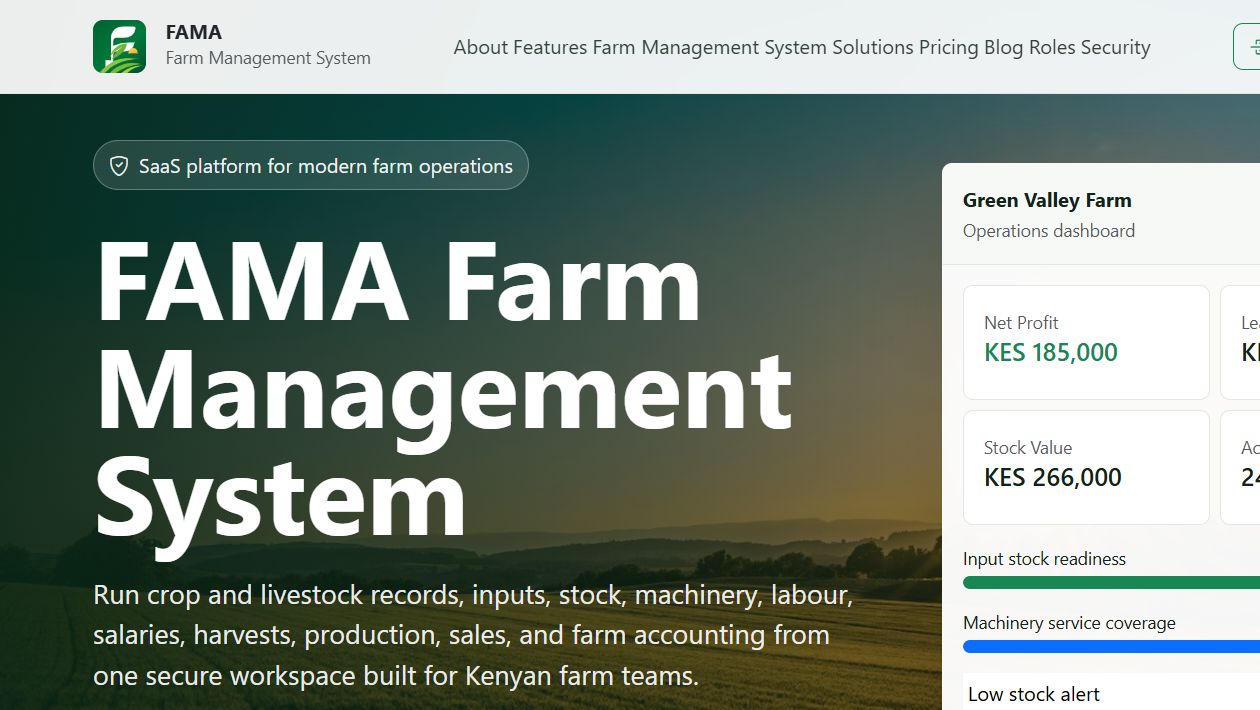
Farm operations dashboard
The public dashboard brings profit, lease balance, stock, staff, input readiness, machinery, and alerts into one view. A buyer can assess whether these signals match the decisions its managers make.
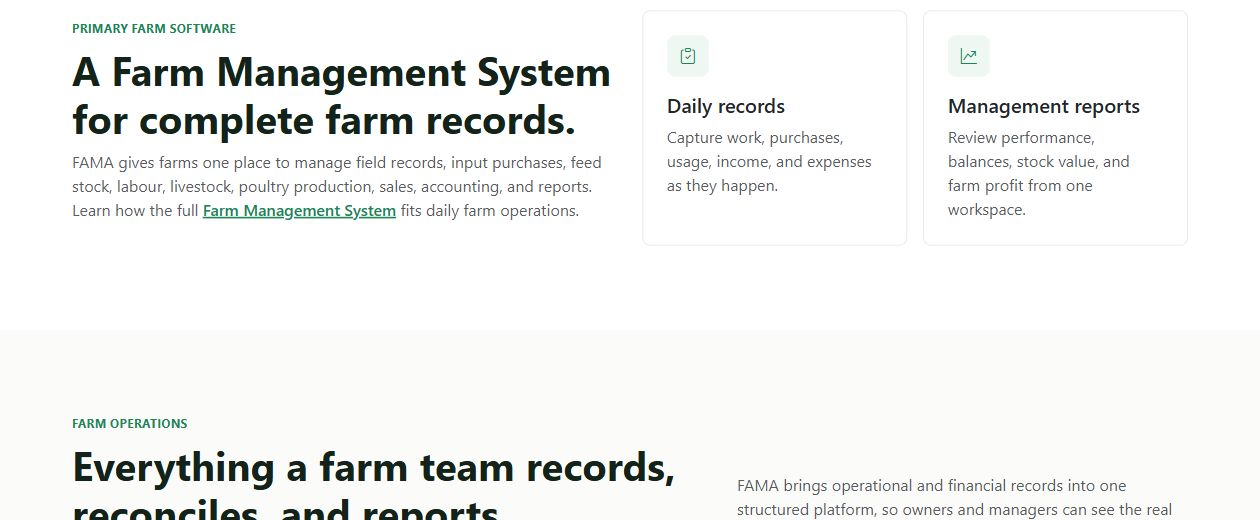
Farm record structure
The records view demonstrates how daily operating information becomes the source for management and owner reporting rather than remaining in isolated notes.
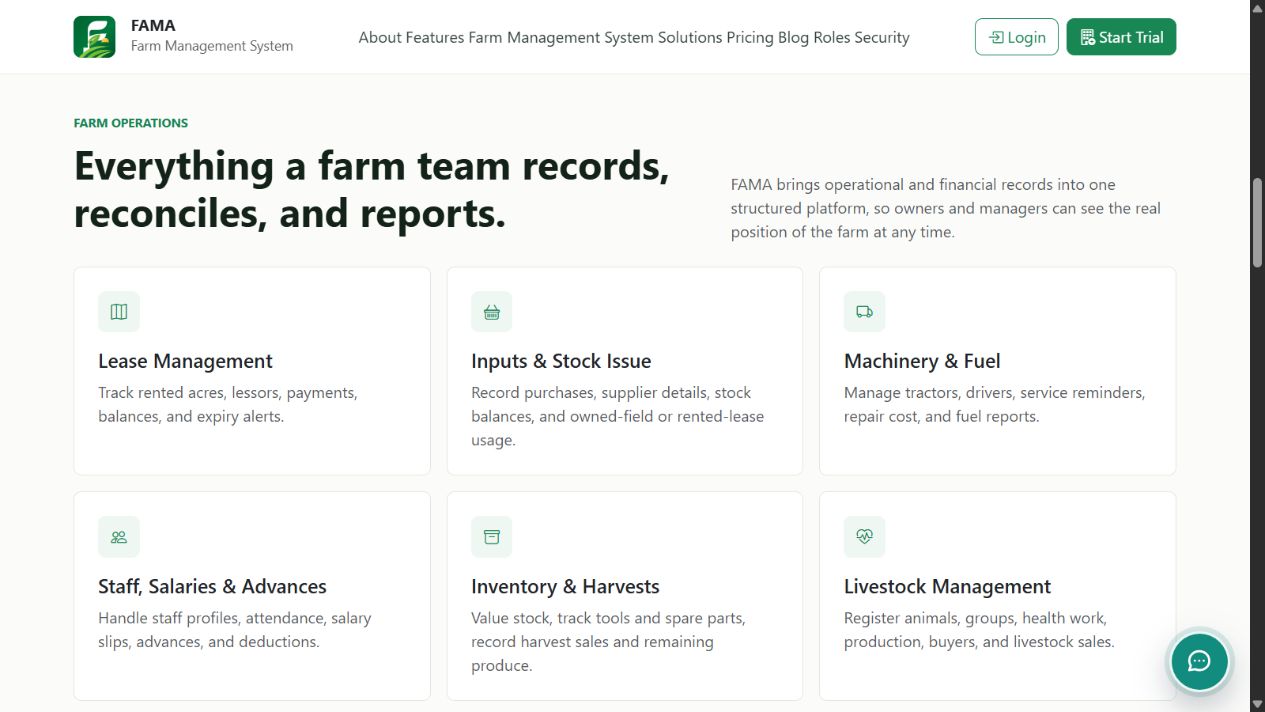
Farm management modules
The workflow evidence covers leases, stock, machinery, staff, harvests, livestock, accounting, and reports within the same product environment.
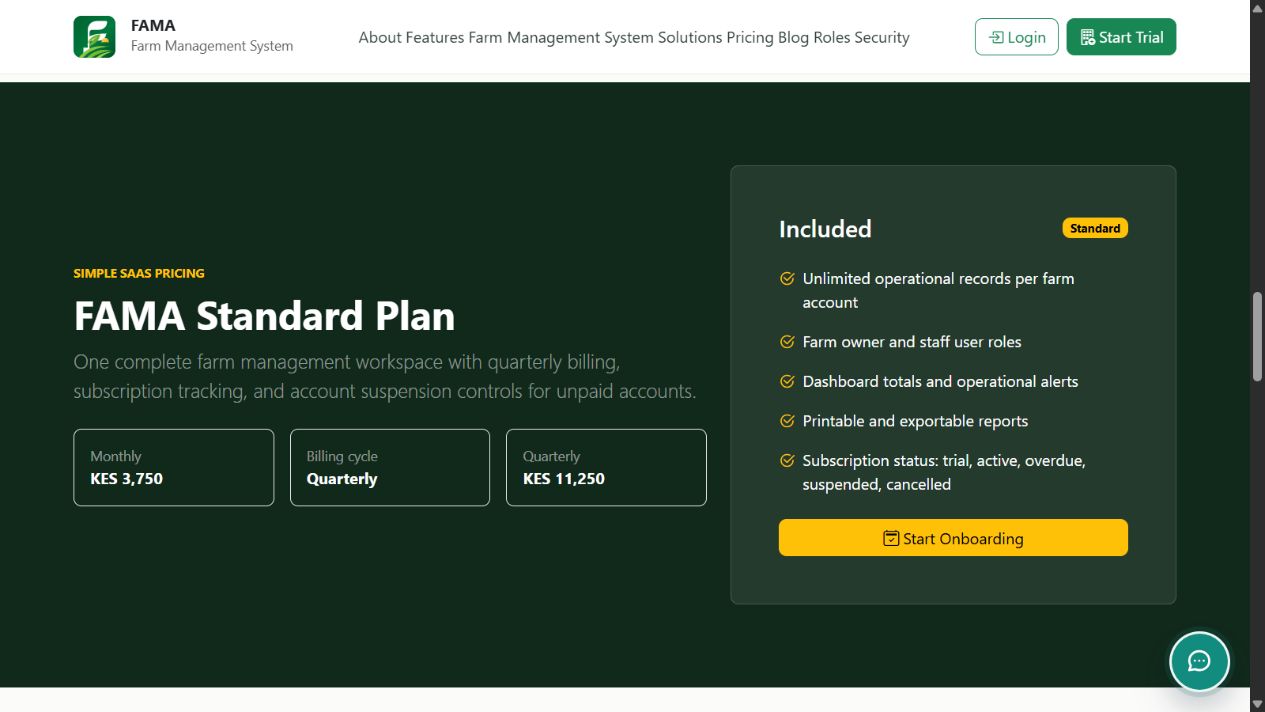
Published FAMA plan
The plan evidence shows one farm workspace with the complete management and accounting module set and gives buyers a public starting point for evaluation.
Why inputs, stores, and activity links matter
A store balance is useful when the system can explain each movement. Purchases and returns add approved stock. Issues reduce it and identify the recipient, activity, field, crop, livestock group, or machine. Transfers show movement between locations. Adjustments require a reason and appropriate permission. Physical counts provide a check against the expected balance.
Connecting usage to activity helps managers investigate production cost and readiness. They can see whether required inputs are available, whether actual issues align with plans, and which records need review. Batch, supplier, date, and unit information may also support traceability where the operation requires it.
Businesses with warehouses, distribution, or deeper procurement needs can review Zamacore’s inventory management software in Kenya page. FAMA places those stock principles inside a wider farm-management context.
Machinery, labour, harvests, and cost visibility
Machinery records connect the asset to service dates, inspections, fuel, repairs, parts, downtime, operators, and activities. This history helps operations see availability before assigning work and gives management a clearer explanation of maintenance cost. Alerts can bring overdue or upcoming action into the daily view.
Staff records and tasks connect responsibility to planned work. The appropriate level of detail depends on the farm and labour model. The objective is to confirm who was assigned, what was completed, when it happened, and which quantity or observation matters to management, without creating unnecessary field administration.
Harvest records connect source, date, crop, season, quantity, grade, store, sale, or other destination. Consistent units and identifiers help compare expected and actual production. When operating records and approved costs share a structure, reports can analyse farms, fields, crops, seasons, machinery, or enterprises more credibly.
Operational value without unsupported performance claims
The inspectable value is the connected workspace. Farm teams can record inputs, tasks, machinery, harvests, livestock, and sales against the correct operating records. Managers can see alerts and current activity. Owners can review reports produced from daily work rather than waiting for separate books and spreadsheets to be assembled.
This case study does not claim an unverified percentage improvement in yield, a specific cost reduction, or a named farm result that has not been approved for publication. Outcomes depend on record quality, user adoption, production conditions, management discipline, farm structure, and consistent use.
During evaluation, a farm can define measurable goals such as missing store issues, overdue activities, machinery downtime records, reporting time, unexplained stock variance, harvest traceability, or cost visibility. Zamacore’s agriculture software overview places FAMA within the wider farm, aggregation, produce-trade, and export workflow.
Adoption and product evaluation
Farm software adoption begins by deciding which records are authoritative. Farm and field names, crop cycles, staff, stores, products, units, opening stock, machinery, livestock, suppliers, customers, and balances may need cleaning before migration. Users also need agreed responsibility for recording issues, activity, maintenance, harvests, and sales.
A pilot can begin with one farm, crop, store, or operating team. Users test routine work alongside damaged input, a stock correction, delayed activity, machinery failure, partial harvest, rejected produce, and a reporting discrepancy. Testing exceptions shows whether the system remains clear when operations leave the plan.
FAMA publishes one Standard plan at KES 11,250 per quarter for one farm workspace, described as equivalent to KES 3,750 per month. Buyers should verify the current price, plan scope, trial, onboarding, and any additional requirements directly. A consultation can determine whether FAMA, integration, or custom ERP development is the better fit.
Bring sample farm registers, activity plans, store sheets, machinery logs, harvest records, sales reports, and owner summaries to a demonstration. Familiar evidence makes the product comparison practical and gives each responsible user a concrete basis for evaluation.
Inspect FAMA against your farm operation
Review the product evidence, then compare it with your fields, crops, stores, machinery, staff, livestock, production, accounting, and reporting requirements.